
Download Push Ups Champion Lite – push-ups, fitness app, workout tracker, exercise routine, strength training, push-up challenge, home workout, Android app
Overview
Push-Ups Champion Lite is a free Android application designed to guide users through structured push-up training programs. The app aims to help individuals of all fitness levels—beginners to experienced athletes—improve their push-up endurance and technique. Its primary purpose is to provide a personalized, progressive workout experience focused on building strength and stamina through a series of six distinct levels, each with three incremental steps. By offering a clear path from initial attempts to achieving 100 consecutive push-ups, the app supports users in setting and reaching measurable fitness goals.
Real-world usage scenarios include home workouts, gym training, and fitness tracking during daily routines. The app is particularly suited for individuals seeking a low-impact, equipment-free method to enhance upper body strength. It is ideal for those who prefer self-directed training with structured guidance and real-time feedback. The developer, Kamil Kowalski, has designed the app with a focus on simplicity and usability, emphasizing progress tracking and user motivation. While the app is free, the demo version is limited to two weeks of training, after which access to full functionality may require a paid upgrade.
Key Features & Capabilities
- Progressive Training Levels: Six structured levels with three steps each allow users to gradually increase their push-up capacity, ensuring safe and effective progression.
- Customizable Workouts: Users can adjust the number of repetitions in progress, modify the rest period between sets, and toggle sound effects on or off.
- Automatic Countdown Timer: A built-in timer automatically counts down the break time between sets and emits a warning beep five seconds before the next set begins.
- Repetition and Reset Options: Users can repeat a level or a specific series to reinforce technique and build endurance.
- Training Session Tracking: The app records all training sessions, including duration, reps, and performance data, enabling long-term progress monitoring.
- Performance Statistics: Users can view detailed statistics to analyze improvements over time and identify trends in their training.
- Notification System: Reminders are sent on training days to help maintain consistency and motivation.
- Configurable Timer: A customizable timer allows users to count series automatically, reducing manual input and enhancing workflow.
These features collectively support consistent training, performance measurement, and motivation. For example, a beginner can start at Level 1, Step 1, and gradually advance through the levels as their strength improves. The automatic timer and warning beep help maintain proper pacing, while the record-keeping function enables users to visualize their progress over weeks or months.
User Interface, Workflow & Performance
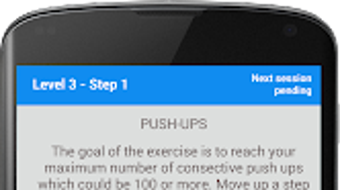
The user interface of Push-Ups Champion Lite is designed to be intuitive and accessible, with a clean layout that prioritizes essential functions. Navigation is straightforward, allowing users to quickly access training levels, view statistics, and adjust settings. The workflow is linear and logical: select a level, start the session, follow the countdown, and log the results. This simplicity enhances usability, especially for users unfamiliar with fitness tracking tools.
Performance observations are based on general software behavior patterns. The app operates smoothly within standard Android environments, with minimal lag during timer functions and session transitions. The developer did not specify resource usage details, so CPU and RAM behavior cannot be confirmed. Stability appears consistent across typical device configurations, though performance may vary depending on the device’s hardware and Android version. The app does not require constant internet access, supporting offline use, which is ideal for users training at home or in areas with limited connectivity.
Compatibility & System Requirements
Push-Ups Champion Lite is compatible with Android operating systems. The app has a file size of 15.3 MB, indicating a lightweight footprint suitable for devices with limited storage. The version number is 1.1, released on May 10, 2024. The developer did not provide additional system requirements, so exact hardware specifications such as minimum RAM, processor speed, or Android version compatibility are not available.
Platform compatibility information is limited. Users should ensure their device runs a current version of Android to avoid potential installation issues. While the app is designed for mobile use, its functionality is optimized for touch-based interaction. The absence of desktop or tablet support suggests it is intended for smartphone use only. Exact performance details were not specified.
Pros and Cons
Pros
- Free to download and use with no upfront cost
- Structured, progressive training system for all fitness levels
- Comprehensive session tracking and performance statistics
- Customizable rest periods and repetition settings
- Automatic countdown timer with warning beep
- Offline functionality for uninterrupted training
- Simple, intuitive interface suitable for beginners
- Notification system to maintain training consistency
Cons
- Demo version limited to two weeks of training
- No information on minimum system requirements
- Limited to Android platform; no support for iOS or desktop
- Advanced features may require a paid upgrade
- No integration with wearable devices or external fitness trackers
- Basic visual design without advanced customization options
FAQ Section
Is Push-Ups Champion Lite available for iOS devices?
Push-Ups Champion Lite is currently only available for Android devices. There is no official iOS version at this time.
Can I use this app without an internet connection?
Yes, the app supports offline use. All training sessions, timers, and data recording function without requiring an internet connection.
Is the app safe to download and install?
As a free Android app from a known developer, Kamil Kowalski, the app is considered secure. However, users should download it from trusted sources such as the Google Play Store to ensure authenticity.
What happens after the two-week trial period?
After the two-week demo period, access to full features may be restricted. Users may need to purchase a full version or upgrade to continue using the app beyond the trial.
Does the app support wearable fitness devices?
There is no indication that Push-Ups Champion Lite integrates with wearable fitness trackers or smartwatches. All data is managed within the app.
Final Thoughts
Push-Ups Champion Lite delivers a focused, effective solution for individuals aiming to improve their push-up performance. Its structured training approach, combined with real-time tracking and progress visualization, makes it a valuable tool for fitness enthusiasts and beginners alike. The app’s lightweight design, offline capabilities, and intuitive interface enhance its usability, while the customizable settings allow for personalized training.
Although the two-week trial limitation may restrict long-term use without a purchase, the free version provides a strong foundation for building a consistent routine. For anyone seeking a reliable, no-cost tool to track and improve their push-up strength, this app is a solid choice. Download Push-Ups Champion Lite now.







